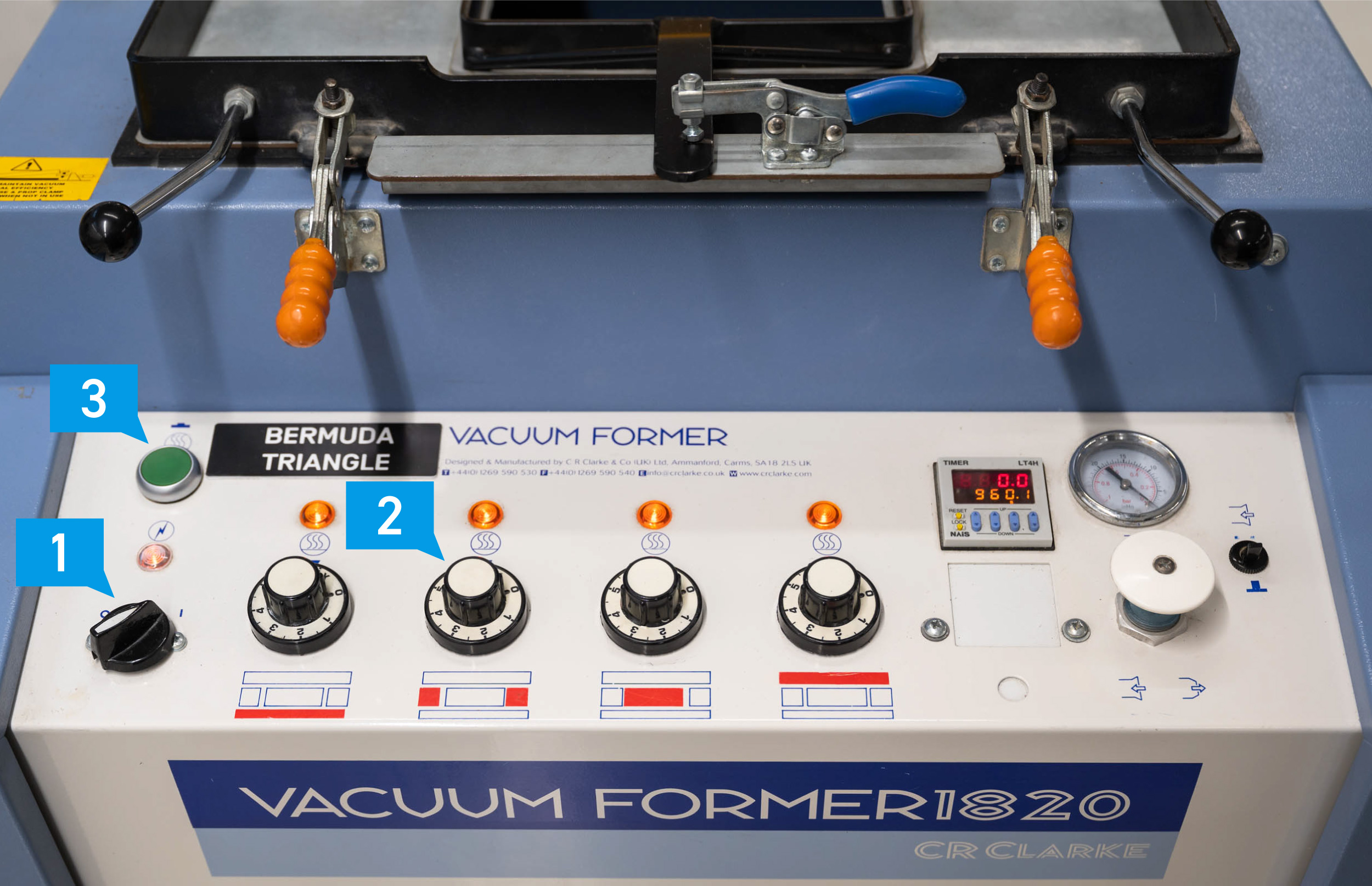
Turn on the needed heating elements (2). Normally all elements are to be set to MAX.
Activate the heating elements (3)
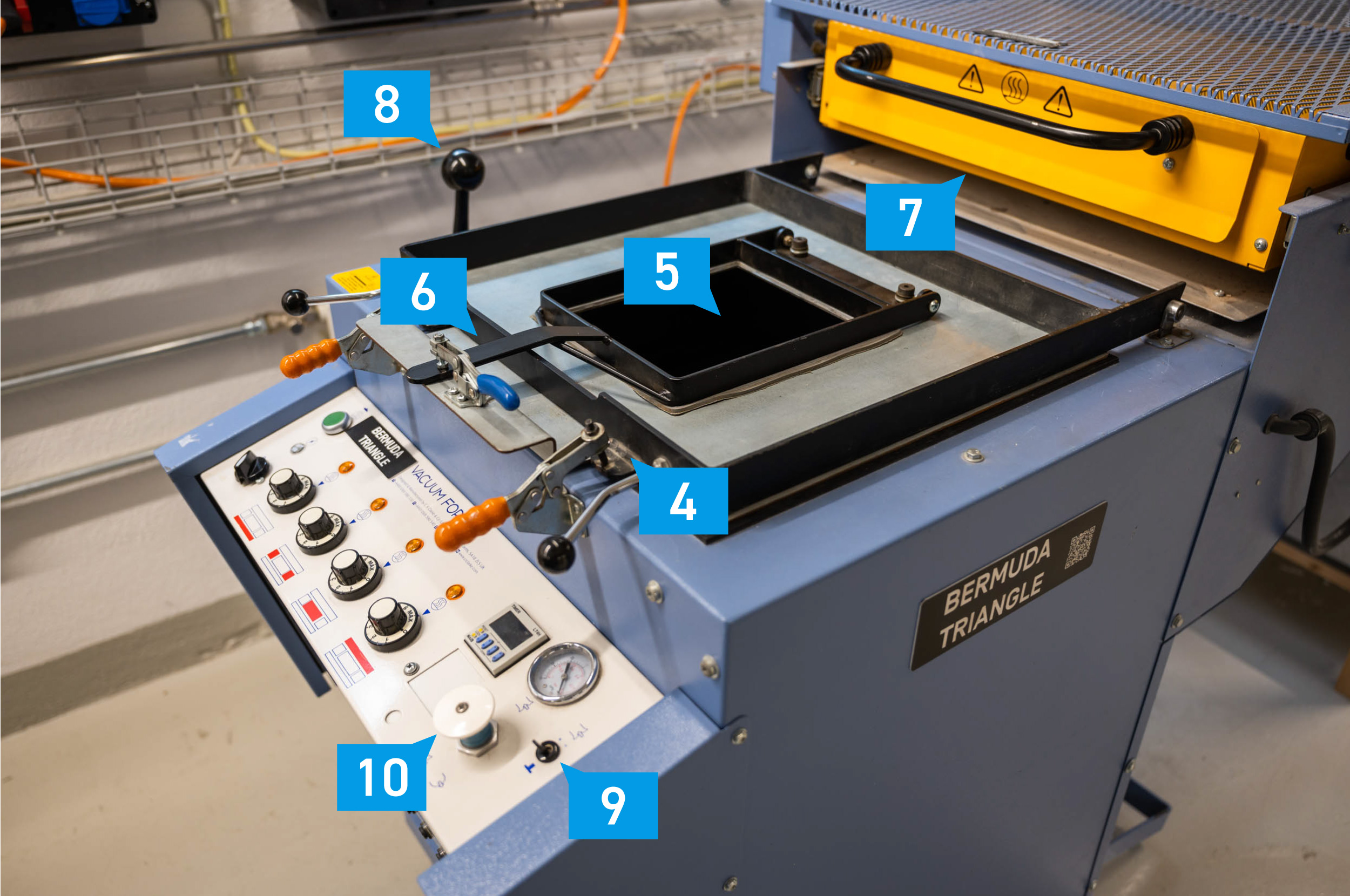
Insert your form in the center of the lifting platform (5)
Insert the material and clamp it down (6)
Slide the heating element over the material (7)
Check the progress of the heating (varies with thickness and material), material should deform in order to be moldable.
Slide the heating element (7) back, lift the platform with the lever to the left (8) and turn on the vacuum pump (9) shortly afterwards by pushing the switch up.
Press the counterpressure button (10) for an easier removal later
Loose the frame and remove your objects, turn off the heating elements and the machine with the main switch.